






ChatGPT vs Other AI Chatbots: Which One Should You Use?
When you tried any of the recent AI applications, you must have thought: ChatGPT vs other AI chatbots, which one is best suited to me?
Now there exist numerous alternatives, such as ChatGPT, Geneini, the Anthropic Claude, and dozens of others. All of them claim to be smart AI, but they are not similar in practice. You are a new user or time-starved user and you simply need to know:
- Which bot is the most convenient to work with?
- Which one is more helpful in providing clear answers?
- Better to write, to study, or to do business?
We will separate out the varying features of the simple language in this guide and assist you in choosing the type of AI chatbot that best suits you at present.
Learn more: How to Use ChatGPT for Beginners (Step-by-Step Guide)
What Are AI Chatbots Exactly?
That is a normal language that AI chatbots understand. You ask (or even speak) a question or request, and they provide an answer, explanation, or content that is helpful.
In contrast to the old-fashioned bots, which used strict scripts, the contemporary AI chatbots are able to:
- Answer complex questions
- Compose emails, posts, and articles.
- Easily describe complex issues.
- Creativity assistance, planning.
- Manipulate documents, notes, and occasionally images and other files.
Their engines are huge language models, which are models that are trained on vast volumes of text and therefore have the ability to generate useful human-like answers.
Why “ChatGPT vs Other AI Chatbots” Matters Now
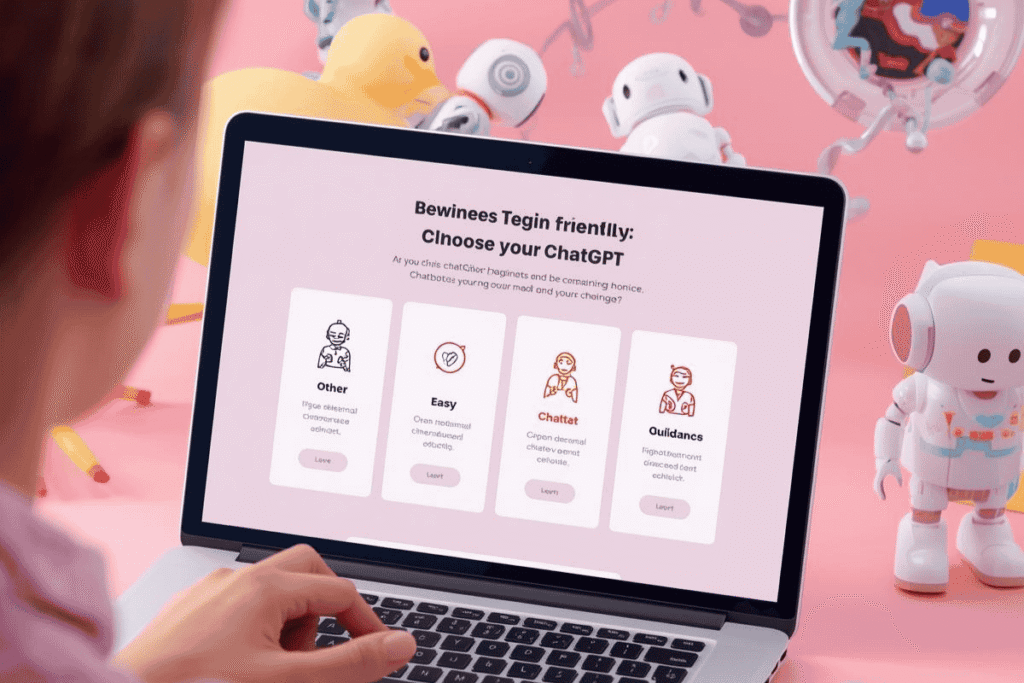
ChatGPT has been the primary name of all AI chatbots since they were originally popular. At last, there is a gift of a rivalry:
- Technological firms are putting out their chatbots.
- A host of applications are incorporating AI into applications you are already running.
- Models are different in their strengths and personalities.
- That is why, when it comes to ChatGPT vs. other AI chatbots, which one should I choose? This is a reasonable question. The answer depends on:
- How do you want to apply AI (writing, studying, code writing, planning, etc.)?
- Comfort level with technology.
- How much are you concerned with search integration, long documents, creativity, or otherwise?
Let’s look at the main options.
Learn more: What Is AI and How to Use It in Everyday Life (Simple Guide)
The Main Players: ChatGPT, Gemini, and Claude
Other chatbots are available but to the average user, the large three are:
- ChatGPT
- Gemini (from Google)
- Claude (from Anthropic)
Each has its own strengths.
ChatGPT: The Versatile Commodity.
The best-known AI chatbot is ChatGPT, and one that will be tried by most people.
Common strengths:
- Extremely user-friendly interface.
- Excellent general writing: emails, posts, explanations, stories.
- Good at brainstorming and mapping content.
- Extensively embedded into other tools and processes.
- ChatGPT is normally the simplest point to start with, should one be new to A,I since:
- It is as though a basic chat application.
- You have the right to enquire about nothing much.
- It has a great grasp of the idea of conversation.
Gemini: Deep Search and Google Integration.
The family of AI models and chatbots developed by Google is called Gemini. It has one of its major strengths in the relationship with the Google ecosystem and search.
Common strengths:
Good at attracting web-based information.
Applicable to queries that seem to be smart searching.
Very frequently, Google products are supported (according to the region and account)
When you are already in the world of Google, Gmail, Docs, Drive, Android, and the very search, Gemini can be natural, as it is created on top of it.
Claude: Lengthy Selections and Soft Demystifications.
Another prominent AI chatbot on which a large number of users are attracted is Claude, developed by Anthropic, which they appreciated for its tone and the possibility of working with a large volume of text.
Common strengths:
- Extremely skilled with lengthy reports.
- Clearly and calmly explained on most occasions.
- Assistive in writing in depth, editing, and analyzing.
Sometimes, people sharing lengthy notes, multi-page draft notes, or large text files choose Claude, as it is able to remain focused on vast quantities of information within a single conversation.
Feature Comparison: ChatGPT vs Gemini vs Claude
Now let’s compare ChatGPT vs other AI chatbots across the areas most beginners care about.
1. Ease of Use for Beginners
ChatGPT
- Simple, clean chat interface
- Easy to start a new chat and see previous ones
- Very forgiving with vague prompts, often asks clarifying questions
Gemini
- Also has a chat-like interface, especially on the web and mobile
- Can feel like a bridge between search and chat
- Great if you’re used to typing questions into Google
Claude
- Clean, minimalist chat layout
- Focused on text, documents, and conversation
- Very comfortable for longer-form writing and editing
Summary:
For beginners who just want to “talk to an AI,” ChatGPT usually feels the most approachable. If you’re already glued to Google, Gemini may feel natural. Claude is a strong choice once you’re comfortable and doing more serious reading/writing.
2. Writing and Content Creation
Here we’re talking about:
- Emails
- Blog posts and articles
- Social media captions
- Scripts and outlines
ChatGPT
- Very strong at content creation, from short emails to long articles
- Great at brainstorming ideas and then turning them into drafts
- Easy to ask: “Improve this,” “make it shorter,” or “change the tone”
Gemini
- Good for shorter content and quick answers
- Strong when you want recent or web-related context (e.g., trends)
- Useful if you need AI plus search-like behavior
Claude
- Excellent for thoughtful, structured writing
- Good at keeping consistency across longer pieces of text
- Often feels like a calm editor or co-writer
Summary:
For pure content creation as a beginner, ChatGPT is often the best starting point. If you value calm, detailed writing with long documents, Claude is a strong alternative. Gemini is helpful when your writing needs tight connections to current information on the web.
3. Learning, Studying, and Explanations
If you’re using AI to learn (as a student or adult learner), you want:
- Clear explanations
- Step-by-step breakdowns
- Practice questions or summaries
ChatGPT
- Great at explaining concepts at different levels (“explain like I’m 12”)
- Can create quizzes, exercises, and summaries
- Very flexible for general learning across subjects
Gemini
- Good at combining explanation with web-style information
- Can be handy for topics where you’d usually search online first
Claude
- Very strong at long, structured explanations
- Often feels patient and detailed, which many learners like
Summary:
For most students and self-learners, ChatGPT or Claude are excellent choices. ChatGPT is usually easier to start with; Claude is nice for long reading and deeper dives. Gemini is useful if you like a search-like flavor in your answers.
4. Working With Files and Long Documents
Many users want to:
- Upload a long document or notes
- Get a summary
- Ask questions about the content
- Rewrite pieces of it
ChatGPT
- Very good at summarizing and rewriting documents
- Can handle many practical scenarios like meeting notes, reports, and drafts
Gemini
- Helpful when documents are tied to information, you might also search for
- Can assist with shorter to medium-length content and questions
Claude
- Known for handling large amounts of text in one go
- Great if you often paste or upload long reports, manuscripts, or research notes
Summary:
If long documents are your main focus, Claude is often the favorite. ChatGPT is still very capable for most real-world document sizes. Gemini can be useful when document questions overlap with web information.
5. App Ecosystem and Integrations
You may care about where the chatbot works:
- In your browser
- On your phone
- Inside writing apps
- Connected to notes, tasks, or email
ChatGPT
- Widely integrated into third-party apps and tools
- Available on the web and mobile (depending on region and plan)
- Often, the first AI option is added to new productivity tools
Gemini
- Being integrated into Google services like search, mail, and documents (in supported regions and accounts)
- Very appealing if your life is centered around Google’s ecosystem
Claude
- Available via the web and certain integrations in supported tools
- Popular in apps focused on serious writing and research
If you want your AI chatbot to connect with lots of different tools and workflows, ChatGPT is often the most flexible choice. If you live in Google’s world, Gemini can be powerful. Claude shines in tools where deep reading/writing is the priority.
Best AI Chatbot for Different Types of Users
When thinking about ChatGPT vs. other AI chatbots, it helps to sort by use case instead of just features.
1. Complete beginners who want one main AI assistant
- Best starting point: ChatGPT
- Why: Simple, friendly, strong at almost everything, easy to grow with.
2. Bloggers, writers, and creators focused on content
- Great options: ChatGPT and Claude
- ChatGPT: Fast ideas, drafts, and rewrites
- Claude: Long-form, consistent tone, thoughtful editing
3. Students and lifelong learners
- Great options: ChatGPT and Claude
- ChatGPT: Explanations, quizzes, study plans
- Claude: Deep explanations, long text handling, calm style
4. People deeply tied to Google services
- Great option: Gemini
- Why: Integration with Google search and apps, familiar environment.
5. Busy professionals juggling email, notes, and planning
- Great options: ChatGPT (primary), Claude (for long docs)
- ChatGPT: Emails, summaries, meeting notes, task planning
- Claude: Reviewing longer reports and documents
You don’t have to pick only one forever, but choosing a “main” chatbot simplifies your life.
How to Test Multiple Chatbots Without Getting Overwhelmed
If you’re curious about ChatGPT vs. other AI chatbots and want to try more than one, use this simple approach:
- Pick a real task you have today
- Example: write a follow-up email, summarize an article, and plan your week.
- Ask the exact same prompt to each chatbot
- Copy and paste your message so the test is fair.
- Compare based on what matters to you
- Clarity: Which answer is easiest to understand?
- Tone: Which one sounds most like you?
- Usefulness: Which result needs the least editing?
- Choose a “default” chatbot
- Use that one for 80–90% of your tasks.
- Keep another one as a “backup” for special cases (like long documents or web-heavy questions).
This keeps things simple while still letting you benefit from different strengths.
Prompt Tips That Work on Any AI Chatbot
No matter which AI you choose, ChatGPT, Gemini, Claude, or others, good prompts make a big difference.
Use this simple structure:
- Who you are: “I am a small business owner…”
- What you need: “I need a professional email…”
- Who it’s for: “This is going to a new potential client…”
- Style and format: “Keep it friendly, clear, and under 150 words.”
Example prompt:
“I am a freelance graphic designer in the United States. Write a friendly, professional email to a new potential client who asked about my prices. Explain that I offer three packages (basic, standard, premium) and invite them to schedule a quick call. Keep it under 150 words and easy to read.”
This type of prompt will generally work well in any chatbot you choose.
Common Mistakes When Comparing Chatbots
When people compare ChatGPT vs. other AI chatbots, they often:
- The judge based on one random answer
- All models can sometimes misunderstand or miss the point.
- One bad reply doesn’t mean the entire chatbot is bad.
- Forgot to give enough instructions
- If your prompt is vague, any chatbot will struggle.
- Expect the chatbot to make decisions for them
- AI chatbots are tools, not decision-makers. You still have to choose what to do.
- Try too many tools at once
- If you jump between four or five chatbots every day, you may feel more confused.
- Better: pick one main assistant, and use others only when you have a clear reason.
Key Takeaways
- The “ChatGPT vs. other AI chatbots” question doesn’t have one single answer—different tools shine in different areas.
- ChatGPT is usually the best starting point for beginners and general use: writing, learning, planning, and everyday help.
- Gemini is attractive if you live inside Google’s ecosystem and want AI tightly linked with search and Google apps.
- Claude is a strong option for long, thoughtful writing, reading, and document-based work.
- The best way to decide is to test them on real tasks you already have and notice which one saves you the most time with the least stress.
FAQs
Is ChatGPT better than all other AI chatbots?
Not in every way. ChatGPT is excellent as a general-purpose assistant and is great for beginners, but other chatbots can be stronger for specific tasks like deep integration with Google services or working with very long documents. The “best” one depends on what you need.
Which AI chatbot is best for beginners?
For most beginners, ChatGPT is the easiest place to start because of its simple interface and strong abilities in writing, explaining, and brainstorming. Once you’re comfortable, you can experiment with others like Gemini and Claude.
Should I pay for an AI chatbot or stick to free versions?
Many people start with free plans to see how often they use the tool and what they use it for. If you find that AI is saving you a lot of time for work, study, or business, upgrading to a paid plan with extra features can be worth it. It depends on your usage and budget.
Which chatbot is best for students?
Students often benefit most from ChatGPT and Claude because both are good at explanations, summaries, and study support. Whatever you use, make sure you follow your school’s rules and use AI to learn, not to copy work directly.
Which AI chatbot is better for long documents?
Claude is often preferred for very long documents, though ChatGPT can handle a lot of practical document work too. If your main use case is reviewing long reports, manuscripts, or research notes, Claude may be especially helpful.
Can I use more than one AI chatbot?
Yes. Many people have one main chatbot they use most of the time and keep another as a backup for certain tasks. For example, you might use ChatGPT for everyday work and Claude for long documents, or ChatGPT plus Gemini for web-heavy tasks.
Are AI chatbots safe to use?
They can be safe if you use them wisely. Avoid sharing sensitive personal, financial, or medical details. Treat them like any online service and double-check important information with trusted sources before acting on it.